Olean

Olean

Your blood pressure readings in one place.

Download on the App Store
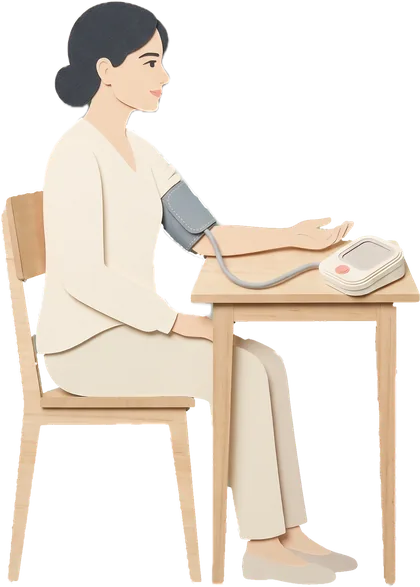
A paper-cut illustration of a woman at her table, taking her blood pressure with a cuff on her arm.

Log a reading in seconds.

Three ways to log, and every reading is saved in the Health app.

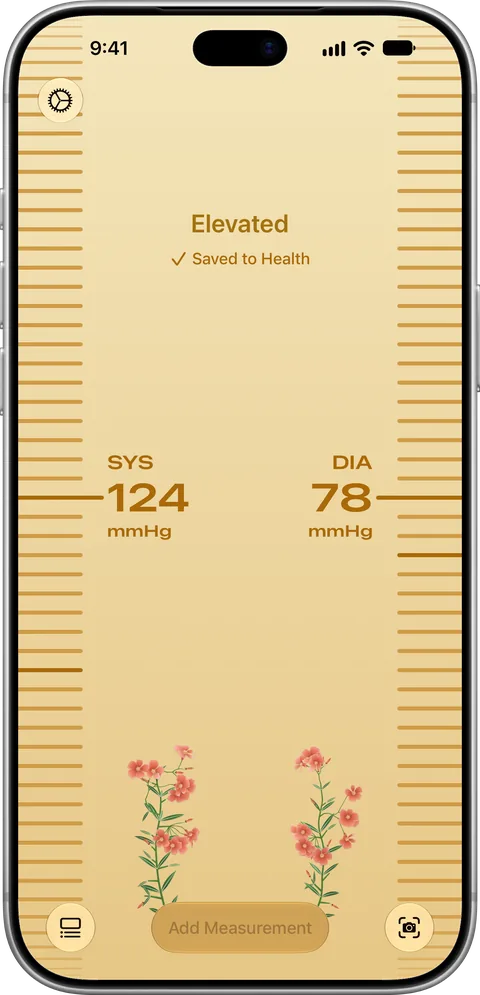
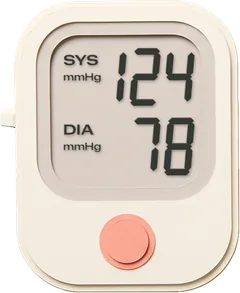
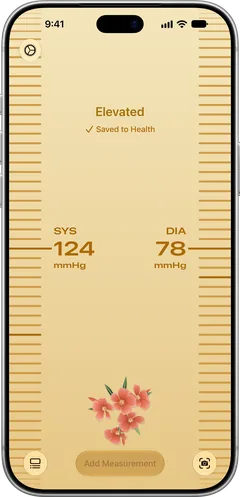
Olean’s rulers on iPhone set to 124 over 78, with the screen in Elevated gold. A paper blood pressure monitor beside the phone, reading 124 over 78.
Slide the rulers. Systolic on the left, diastolic on the right. The screen shows your stage as you go.
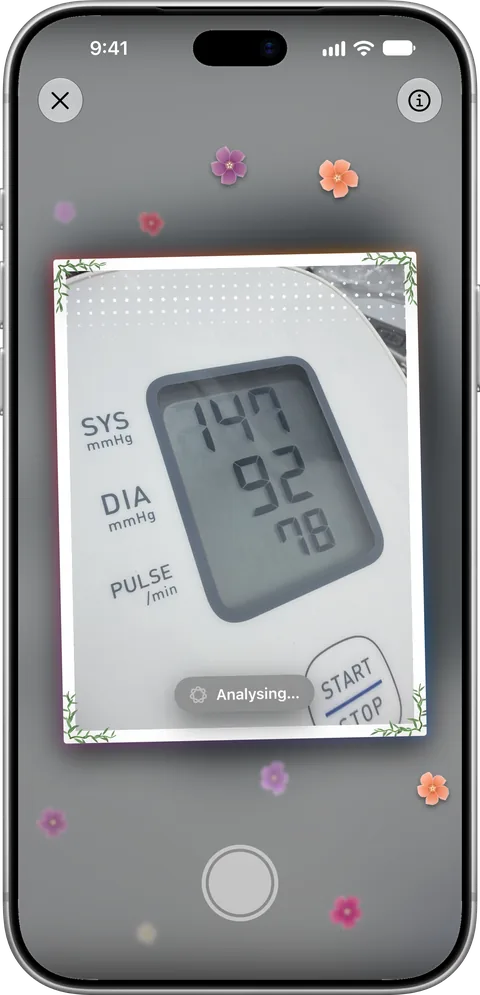
Olean on iPhone, reading a photo of a blood pressure monitor, with small flowers around it.
Snap your monitor. Take a picture of its screen. Olean reads the numbers and never keeps the photo.
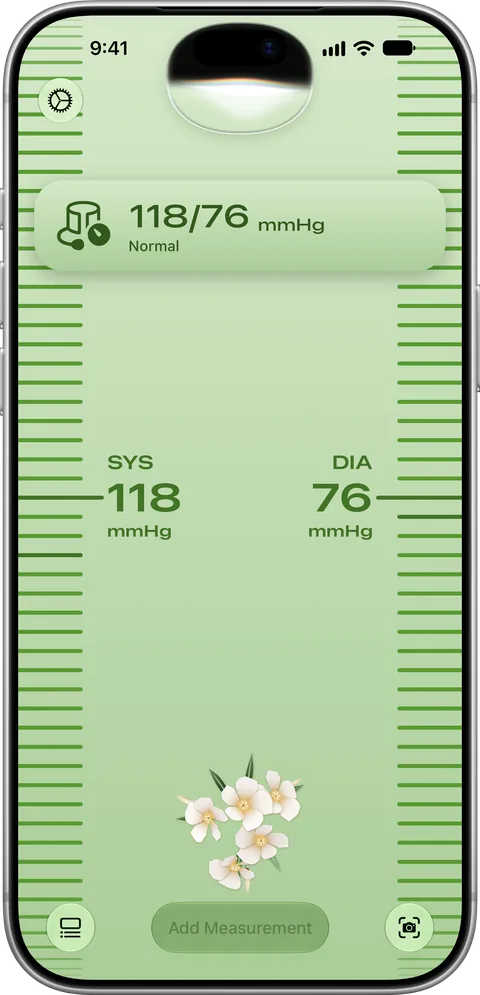
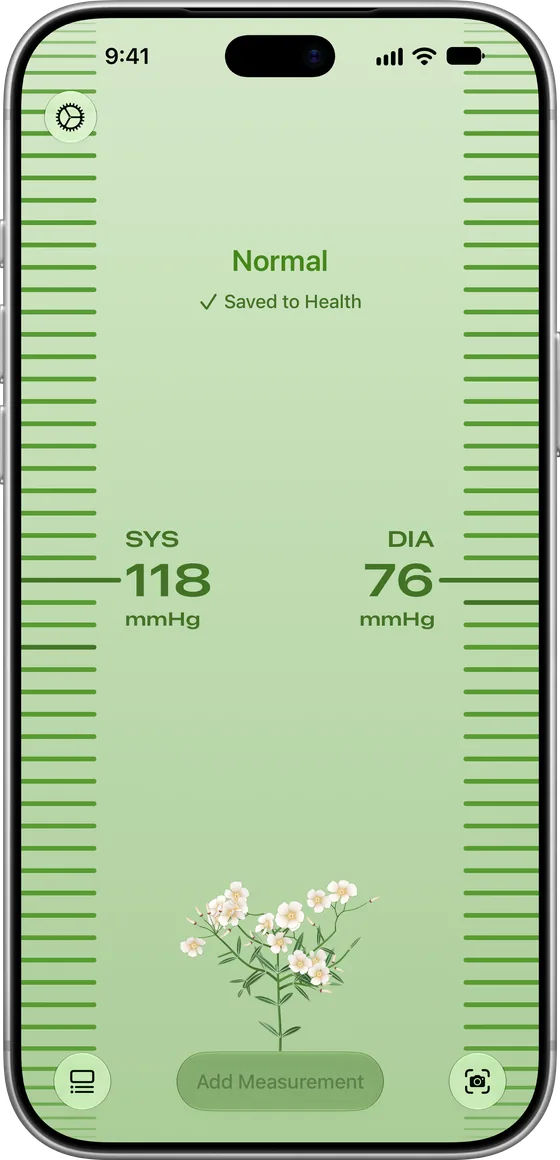
Siri listening on iPhone, a drop of glass with a band of light across it hanging from the top of the screen, above Olean’s card for a reading of 118 over 76, Normal.
Ask Siri. Say “Log my blood pressure in Olean.” Siri asks for each number and saves the reading.

Reading a monitor needs an iPhone with Apple Intelligence.

Every reading blooms.

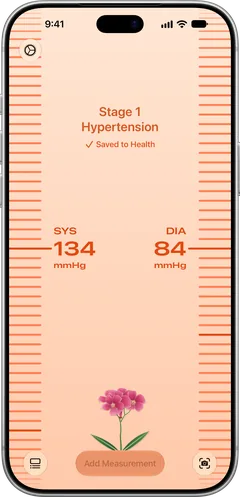
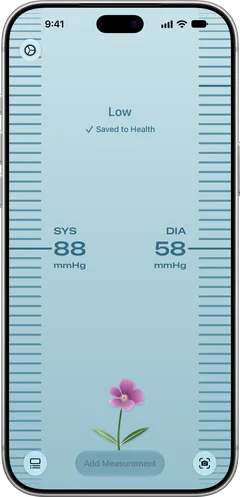
Save a reading, and an oleander grows.

There are many to discover.

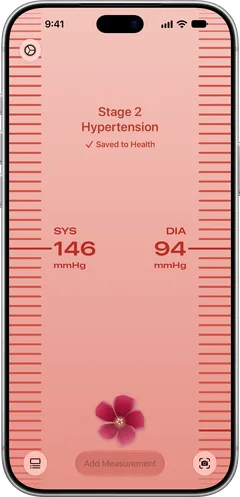
Stage 1 Hypertension, 134 over 84, with a cluster of pink oleanders. Low, 88 over 58, with a single violet oleander on its stem. Olean on iPhone at 118 over 76, Normal, saved to Health, with a spray of white oleanders. Elevated, 124 over 78, with a posy of coral oleanders. Stage 2 Hypertension, 146 over 94, with one crimson oleander in full bloom.

An alarm when it’s time to check.

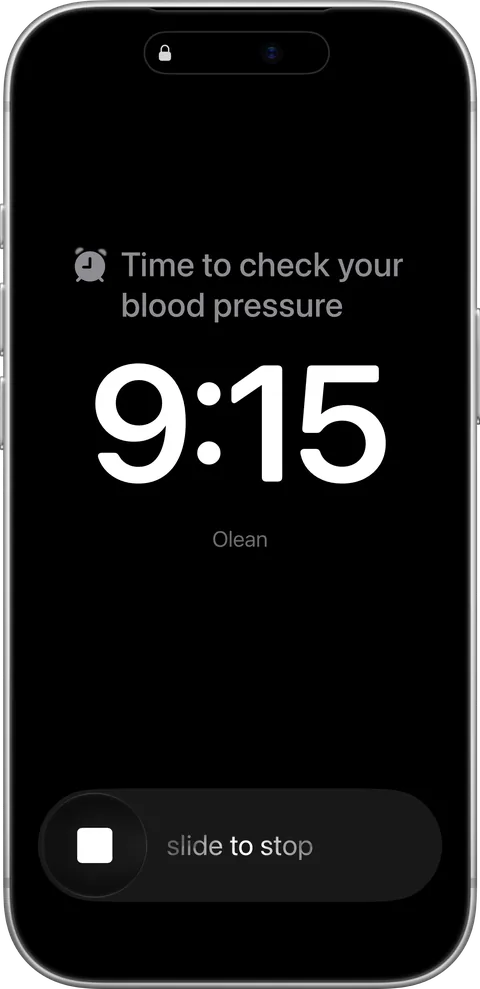
Pick the times you check your blood pressure, and Olean rings at each one, every day.

Olean’s alarm ringing on iPhone at 9:15: Time to check your blood pressure, with slide to stop.

Track your readings over time.

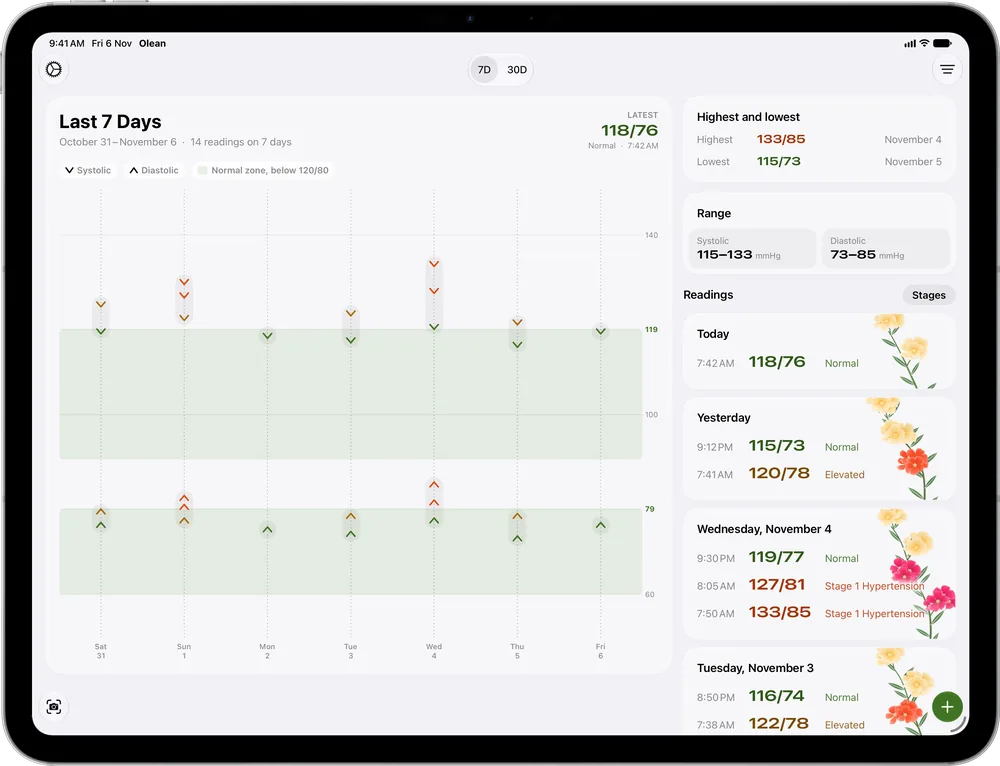
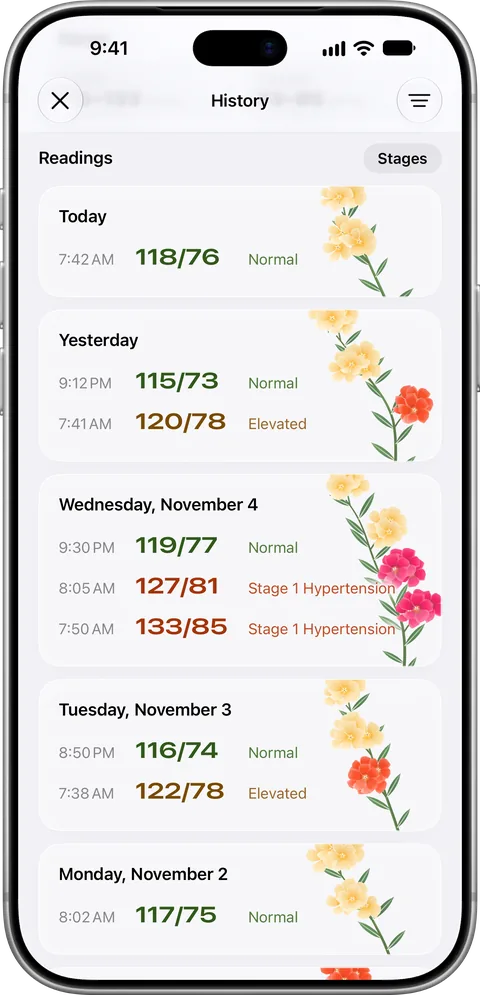
Every reading, day by day, with your highest, lowest and range. Readings from your other apps in Health show up too.

Olean’s History on iPad: a chart of the last seven days, the highest and lowest readings, the range, and each day’s readings with flowers. Olean’s History on iPhone: today, yesterday and earlier days, each reading with its stage and a vine of flowers.

Made for everyone. Shared with no one.

Accessibility

If you use larger text on your iPhone, Olean’s text gets bigger too. With VoiceOver, swipe up or down to change each number, and Olean reads your reading out loud when it’s saved. Increase Contrast makes your history easier to see, and with Reduce Motion the flowers fade in instead of growing.

Privacy

Your readings are saved in the Health app, and nowhere else. There’s no account to make, and no ads or tracking. You choose what Olean can see in Health, and can change it at any time.

On iPhone, iPhone Duo and iPad.

Made for each screen, in light and dark.

iPhone

Olean’s History on iPhone, with a chart of the last seven days.

Your week at a glance, in your pocket.

iPhone Duo

Olean on an open iPhone Duo: History on the left, the rulers at 118 over 76 on the right.

Open it, and your rulers sit beside your history.

iPad

Olean on iPad: the rulers at 118 over 76 over History.

Log on the big screen, with your whole month beside you.

Olean

Your blood pressure readings in one place.
Download on the App Store

Free, with no ads and no subscription. For iPhone, iPad and iPhone Duo.